Focus Settings and Tests
The Swope telescope focuses by moving the secondary mirror in/out and has an encoder, so one can "dial in" the correct focus. However, the filters we use are not con-focal, so one needs a separate position for B, V, and ugri. Also, the precise position is also a fucntion of temperature and airmass. A script has been written to give you the correct focus encoder position. Still, a "focus test" can be done to determine the correct encoder position and these provide the empirical data needed by the script, so worth doing (and recording) every now and then (also see Data Needed section below).
- Using the SwopeFocus script
On puma, open a terminal and run the following command:
% ~/Scripts/SwopeFocus {Temp} {AM}where {Temp} should be replaced with the temperature in degrees C and {AM} should be replaced with the air mass. An example:% ~/Scripts/SwopeFocus 20 1.5 Focus encoder positions: V: 23320 B: 23420 ugri: 22870 RMS: +/- 50
- Improving the Model
The current model for the focus is a simple bi-linear model:
Focus(V) = F0 + FT*(T - 15) + FA*(AM-1)
where F0, FT, and FA are the 3 parameters of the fit. They, along with the RMS of the fit, are stored in a file focus.pars, located in the same folder as SwopeFocus. The position for the other filters are computed by applying known offsets to the V filter. These are:- Focus(B) = Focus(V) + 100
- Focus(u,g,r,i) = Focus(V) - 450
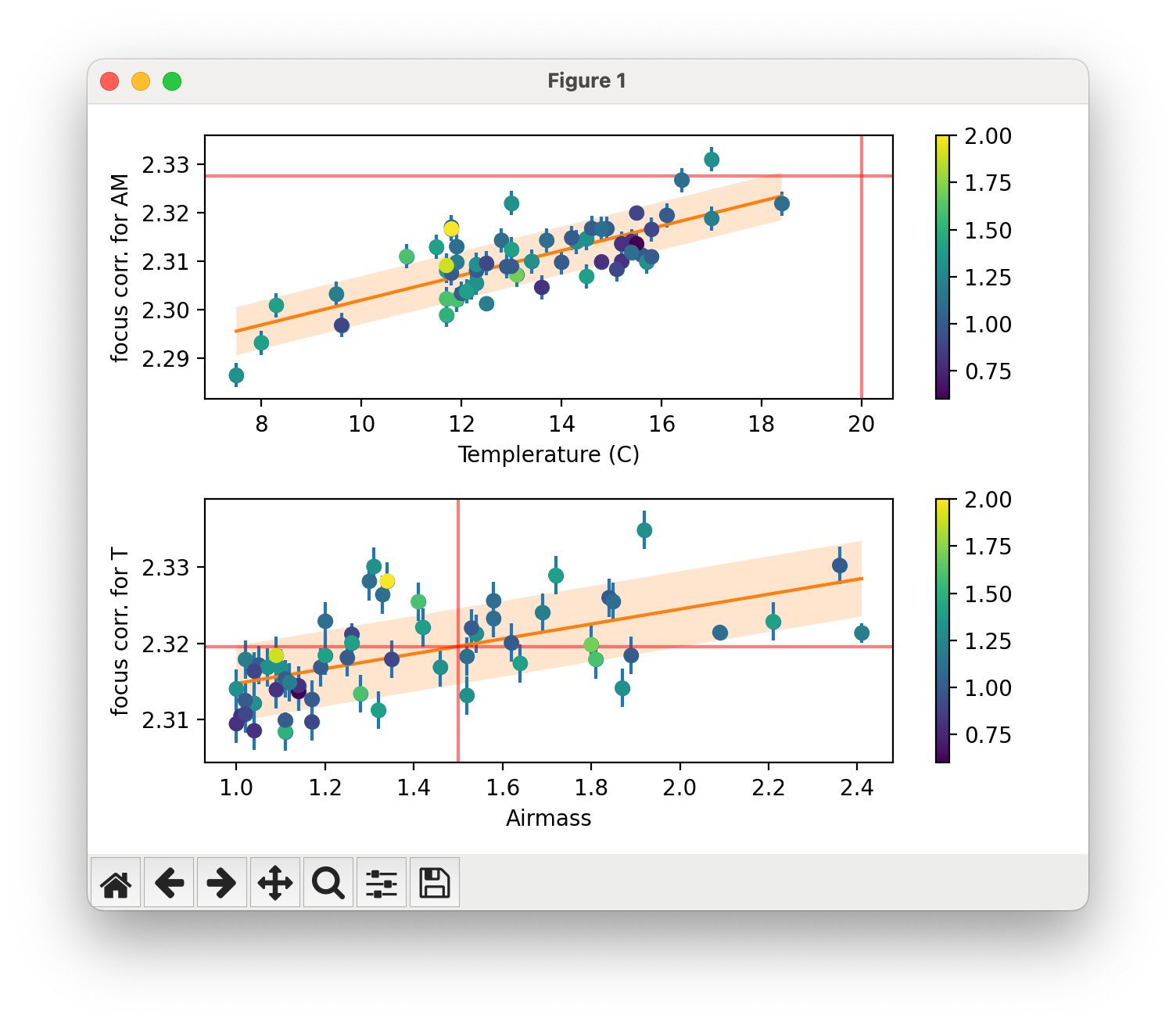
The data used to constrain the fit is located in the file focus.dat and can be updated whenever you do a focus test. You will need to provide the focus encoder position for the V filter, so use the above offsets if you do a focus test in a filter other than V. To update the parameters of the fit, use the -recalc and -plot arguments to make sure the point you added is correct:% ~/Scripts/SwopeFocus -recalc -plot 15 1
- Doing a Focus Test
Refer to the Swope manual for how to perform the focus test. You will run a macro that takes 7 (or more) exposures and you change the focus position between each exposure. Usually we do an increment of -50 each, but it's up to you. When you are done, make note of the name of the FITS file (e.g., ccd1234c3.fits). You can now run the calcFocus script to interactively find the best focus encoder position:
% ~/Scripts/calcFocus ccd1234c3.fits -50
Note that the starting encoder position is recorded in the FITS headers, so there is no need to specify that. Just the step taken between each exposure (negative if you are decreasing between exposures). You will get a window that looks like the following: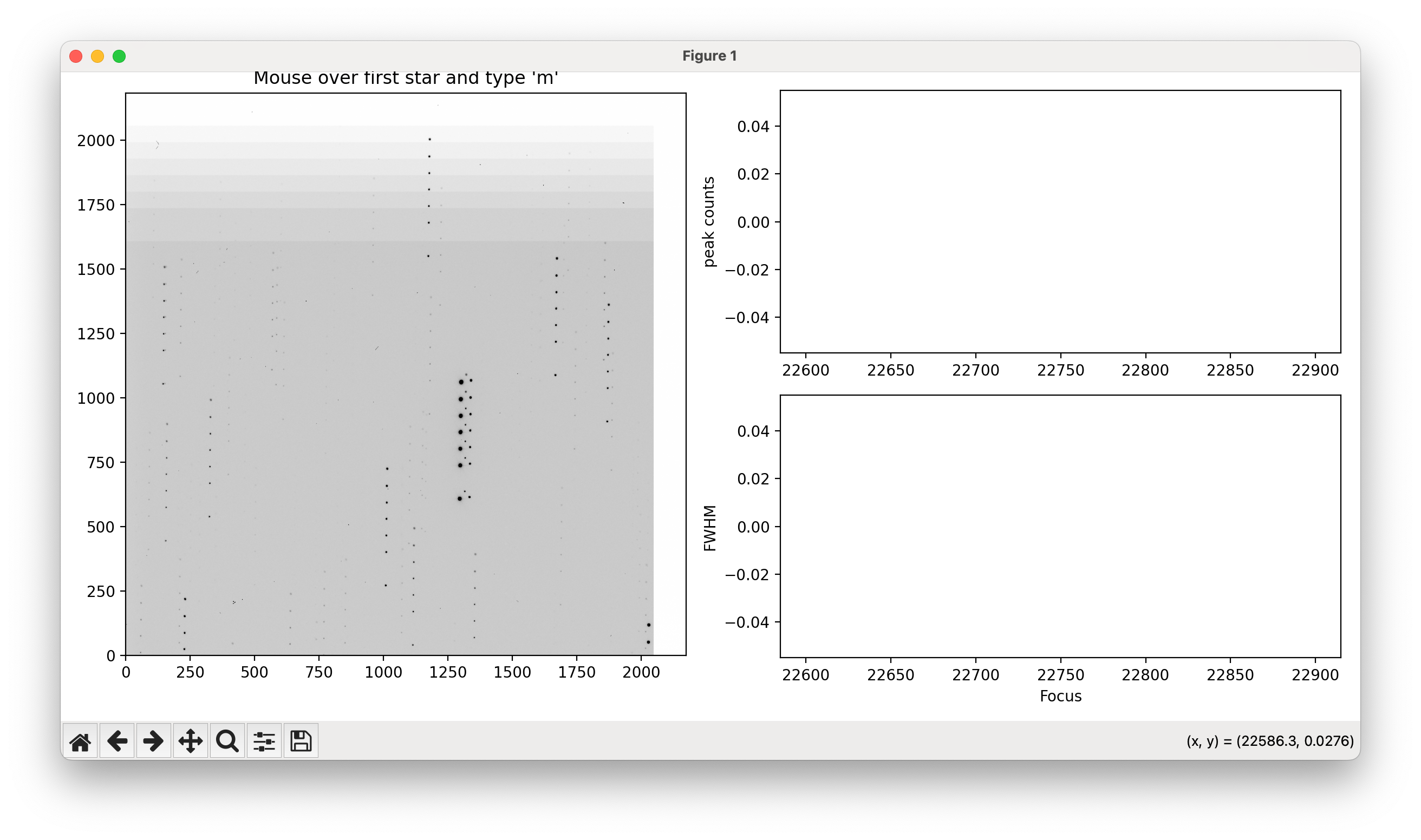
There are 7 copies of each star, but note the larger gap between the first two: this lets you find the beginning of the seqeunce. Hover the mouse over the first star and type the 'm' key. The plot will update with the peak counts and FWHM as a function of focus position:
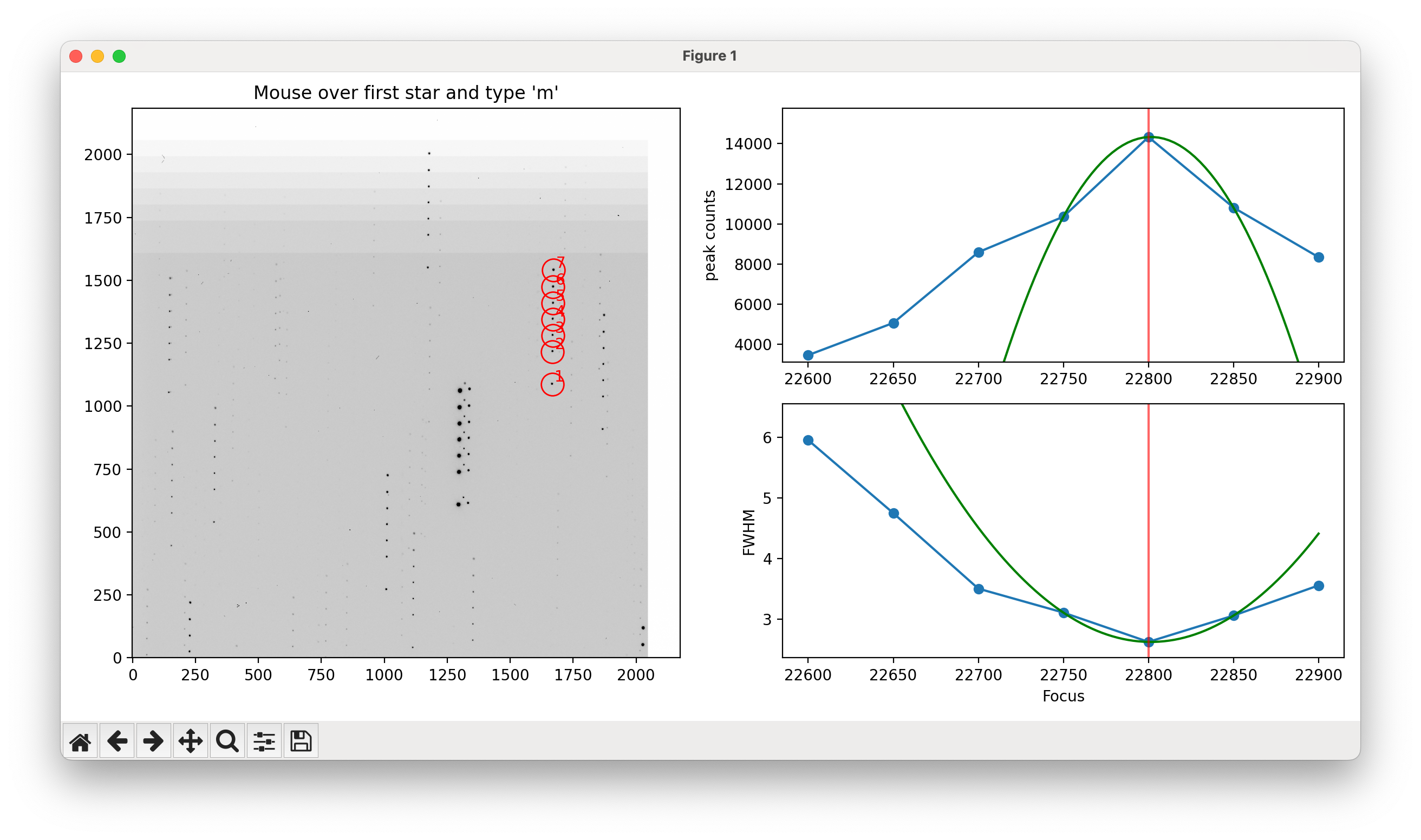
You can easily read off the best focus position. - Where do we need more data
Aside from more points to constrain the fit and RMS, some combinations of temperature and airmass are more well-sampled than others. The following graph of the distribution of measurements shows where we could use more data:
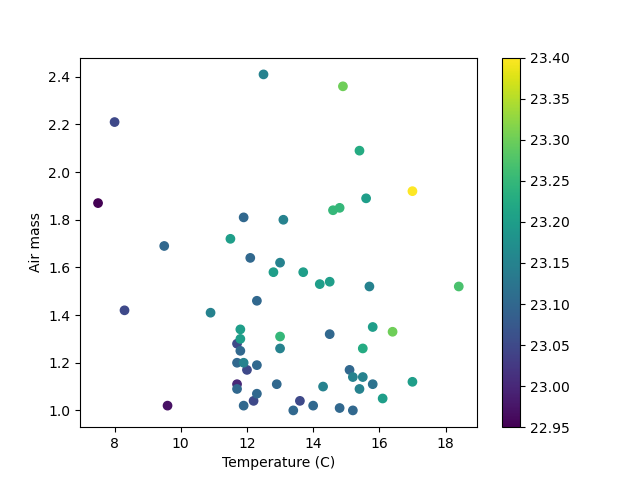
(Generated 2025-10-27>